

Universal prompts
Apply a single instruction to every row of your dataset when your data doesn't have a per-row prompt column.
Sometimes every row of your dataset should be evaluated or processed against the same instruction—but your data doesn’t contain a prompt column. Instead of engineering per-row prompts upstream, you can define the instruction once as a universal prompt and let Adaptive Data apply it uniformly at scale.
This is a web-app workflow on the columns step of the adaptation wizard. The walkthrough below picks up after you’ve uploaded your data and reached column selection. For the broader concepts behind the columns step, see Column selection.
Step 1 — Check “I don’t have prompt”
Section titled “Step 1 — Check “I don’t have prompt””On the columns step, locate the Prompt column card and check I don’t have prompt beneath it.
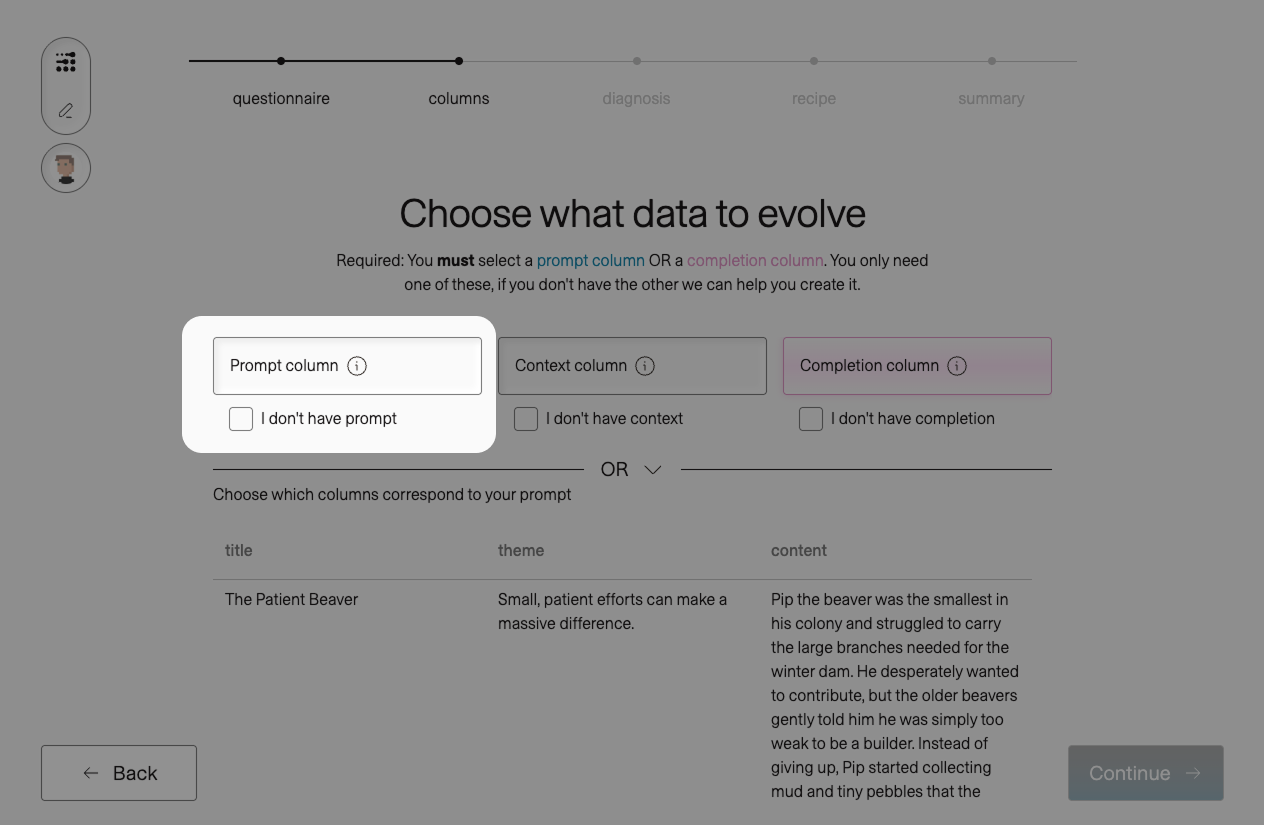
The prompt card transforms to expose two alternatives: Let adaption create prompt (a per-row generated prompt for each completion) and Write universal prompt (a single instruction applied to every row). Universal prompts use the second path.
Step 2 — Click “Write universal prompt” and enter your instruction
Section titled “Step 2 — Click “Write universal prompt” and enter your instruction”Click Write universal prompt to reveal the textarea, then type your instruction into the Enter prompt for all entries… field.
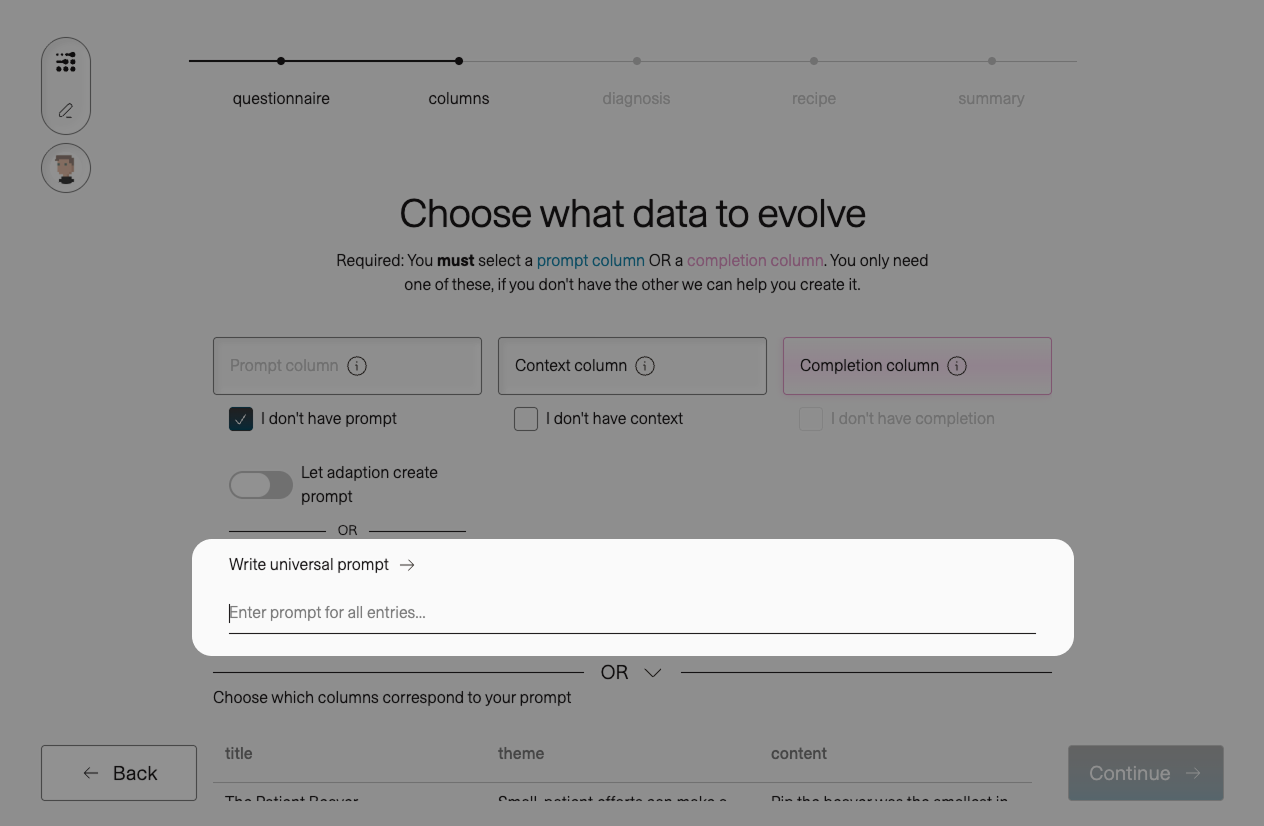
Your universal prompt should be a complete, self-contained instruction: the role, the task, and the expected output format.
A useful shape:
[Task description]. Respond with [exact output format].
The tighter you specify the output format, the more consistent your completions will be—and the cleaner the resulting training signal. For classification tasks, constrain the model to a fixed vocabulary. For generation tasks, specify length, tone, and structure.
Next steps
Section titled “Next steps”After column selection you’ll move on to the wizard’s later steps. Two are particularly worth knowing about for universal-prompt runs:
- Reasoning traces — produce a structured chain-of-thought alongside each completion, useful when the reasoning matters as much as the label.
- Brand controls — encode length, safety, and freeform brand voice that should apply to every completion the platform generates.