

Select columns to adapt
Map dataset columns to prompt, completion, context, image, or chat roles before running Adaptive Data.
A dataset is made of rows and named columns. Adaptive Data needs to know which column contains the instruction, which contains the answer, and which columns provide supporting material. In the Python SDK, you define these roles with column_mapping on datasets.adapt.
Column mapping is the foundation for later steps such as recipes and brand controls, evaluation, and export.
Map a prompt or completion
Section titled “Map a prompt or completion”Every run needs at least one of these anchors:
- Prompt — the question, instruction, or task to complete.
- Completion — the expected response or answer.
You only need one. If the other is missing, Adaptive Data can generate it.
The examples below assume you have installed and configured the Python SDK and uploaded a dataset to obtain dataset_id.
Prompt without a completion
Section titled “Prompt without a completion”If the dataset contains prompts but no completions, map only the prompt column. Adaptive Data generates a completion for each row.
For example, a CSV with an instruction column might contain real tasks such as “Explain why leaves appear green” and “Convert 15 miles to kilometres”:
run = client.datasets.adapt( dataset_id, column_mapping={"prompt": "instruction"},)Completion without a prompt
Section titled “Completion without a prompt”If the dataset contains high-quality answers but no prompts, map only the completion column. Adaptive Data synthesizes an appropriate prompt for each answer.
For example, a CSV with a response column might contain reference answers such as “Leaves appear green because chlorophyll reflects green wavelengths of light”:
run = client.datasets.adapt( dataset_id, column_mapping={"completion": "response"},)Prompt and completion
Section titled “Prompt and completion”Most instruction datasets already contain both roles:
run = client.datasets.adapt( dataset_id, column_mapping={ "prompt": "instruction", "completion": "response", },)Add context columns
Section titled “Add context columns”Context columns hold per-row background information, reference data, or metadata that the model needs to answer the prompt. Unlike prompt and completion, context is a list, so you can map multiple columns.
This example maps a document question-answering dataset with a title and passage for each question:
run = client.datasets.adapt( dataset_id, column_mapping={ "prompt": "question", "completion": "answer", "context": ["document_title", "document_body"], },)Common patterns include:
- Retrieval-augmented generation (RAG) — map the query as
prompt, retrieved passages ascontext, and the reference answer ascompletion. - Per-row metadata — provide an audience, tone, locale, or product line alongside each prompt.
- Universal prompt with context — apply one instruction to every row while context columns provide the row-specific material.
For one instruction shared by every row, use a universal prompt. For visual context, see Map an image column.
Use a universal prompt
Section titled “Use a universal prompt”If every row should use the same instruction and the dataset does not have a prompt column, define a universal prompt. Context or image columns then supply the per-row content on which that instruction operates.
In the Python SDK, set universal_prompt directly in column_mapping. This example classifies reviews while using the existing sentiment column as the expected completion:
run = client.datasets.adapt( dataset_id, column_mapping={ "universal_prompt": ( "Classify the sentiment of this review as positive, neutral, " "or negative. Respond with one word." ), "context": ["review"], "completion": "sentiment", },)You can configure the same mapping in the web app:
1. Select “I don’t have prompt”
Section titled “1. Select “I don’t have prompt””On the columns step, locate the Prompt column card and select I don’t have prompt.
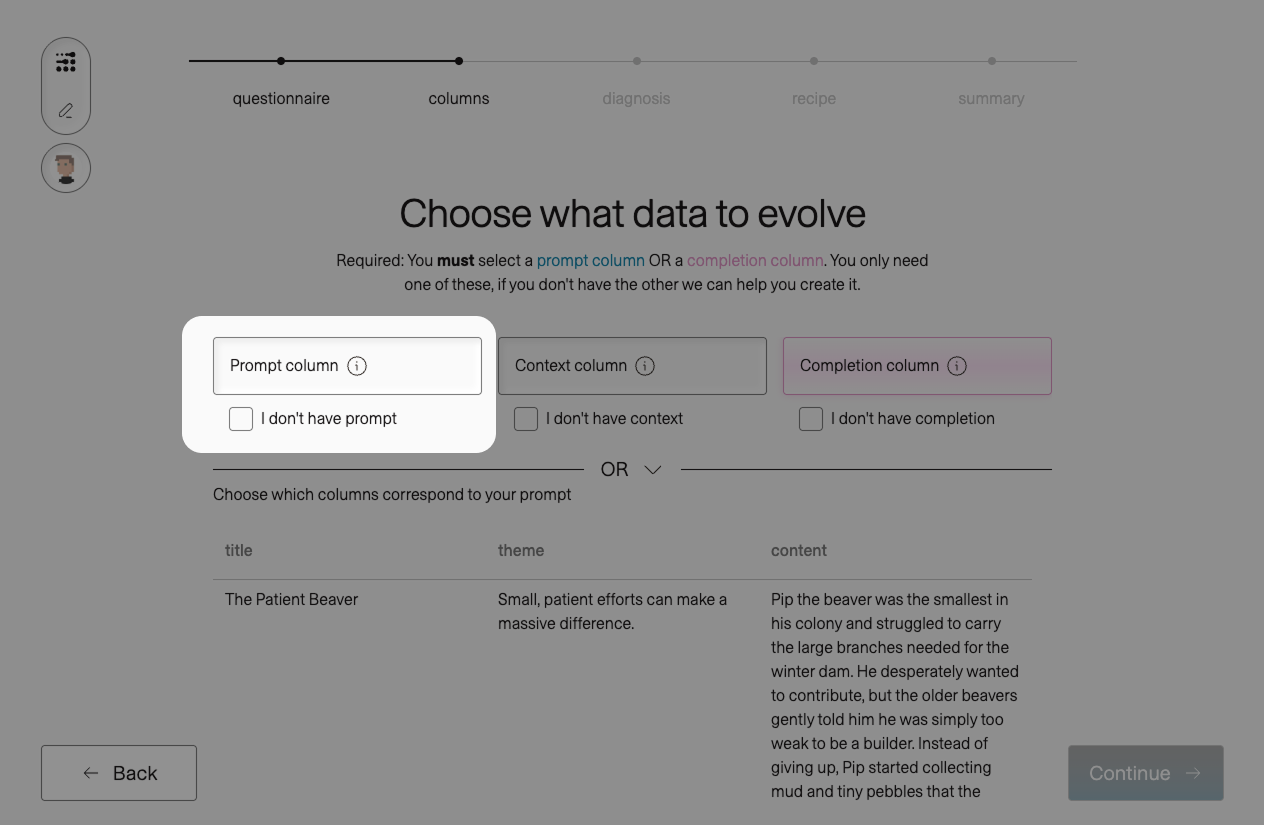
The prompt card displays two choices:
- Let adaption create prompt generates a prompt for each completion.
- Write universal prompt applies one instruction to every row.
2. Write the shared instruction
Section titled “2. Write the shared instruction”Select Write universal prompt, then enter the instruction in Enter prompt for all entries….
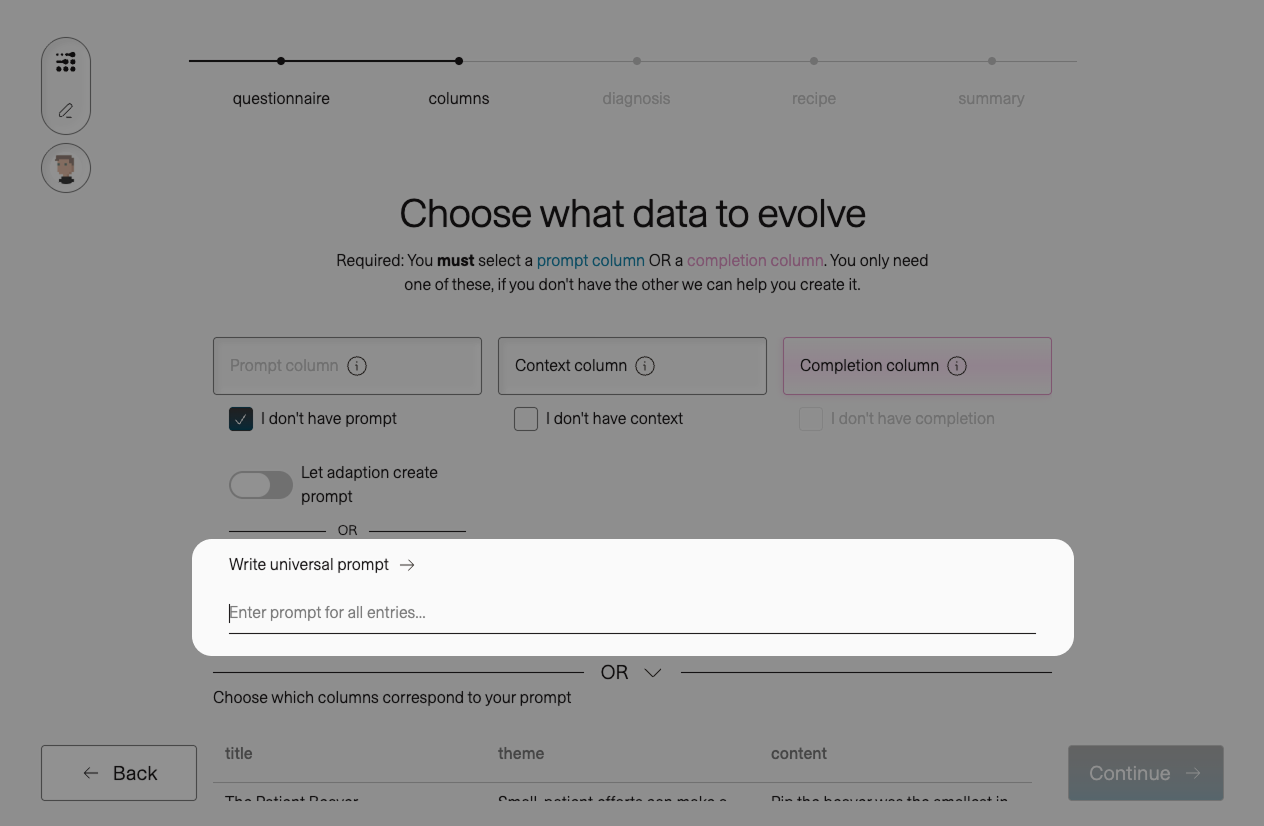
Write a complete, self-contained instruction that identifies the task and expected output. For example:
Classify the sentiment of this review as positive, neutral, or negative. Respond with one word.
The same universal_prompt value is available through the datasets.adapt API and Python SDK, so app and programmatic runs can use the same mapping.
Map an image column
Section titled “Map an image column”Images use the dedicated image mapping rather than the context list. The following mapping uses the public MathVision dataset: question contains the prompt, decoded_image contains the figure, and answer contains the expected answer.
run = client.datasets.adapt( dataset_id, column_mapping={ "prompt": "question", "completion": "answer", "image": "decoded_image", },)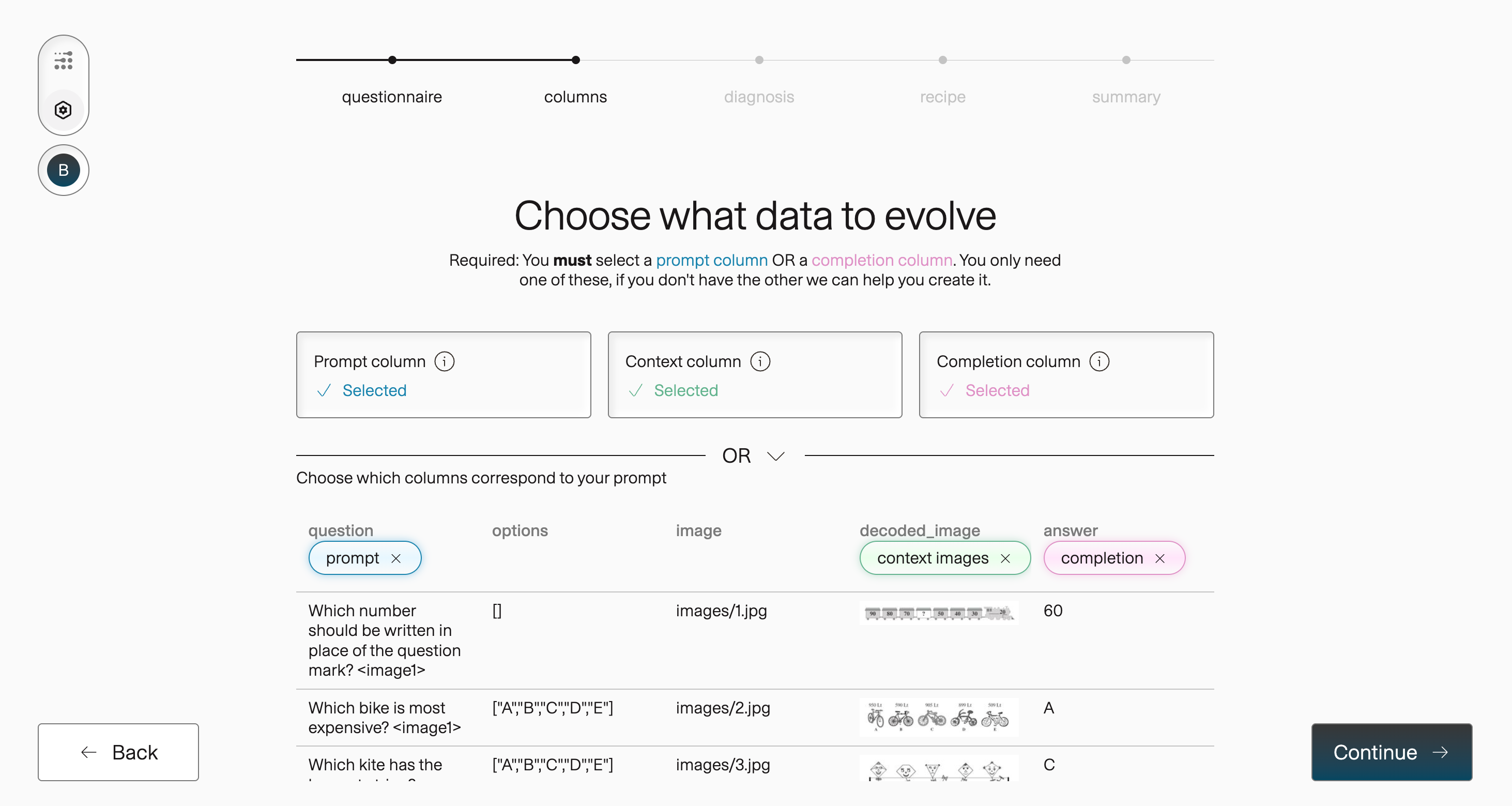
Use image columns for visual question answering, captioning, classification, OCR, and other multimodal tasks.
Supported image inputs
Section titled “Supported image inputs”Supported representations depend on the dataset source.
Hugging Face
Section titled “Hugging Face”bytes— raw image byteshf_struct— a Hugging FaceImage()featurelist— an array of image bytesurl— an absolutehttp(s)URLpath— a relative path, such as animagefolderentry
Kaggle
Section titled “Kaggle”- Image folders without a manifest, such as
train/<class>/*.png - A CSV or Parquet manifest with an image column
- A tabular file with a bytes or URL column
Direct file upload
Section titled “Direct file upload”For directly uploaded CSV, Parquet, JSON, JSONL, XLSX, and similar files:
bytes,hf_struct, orlisturl— an absolutehttp(s)URL
Map a chat column
Section titled “Map a chat column”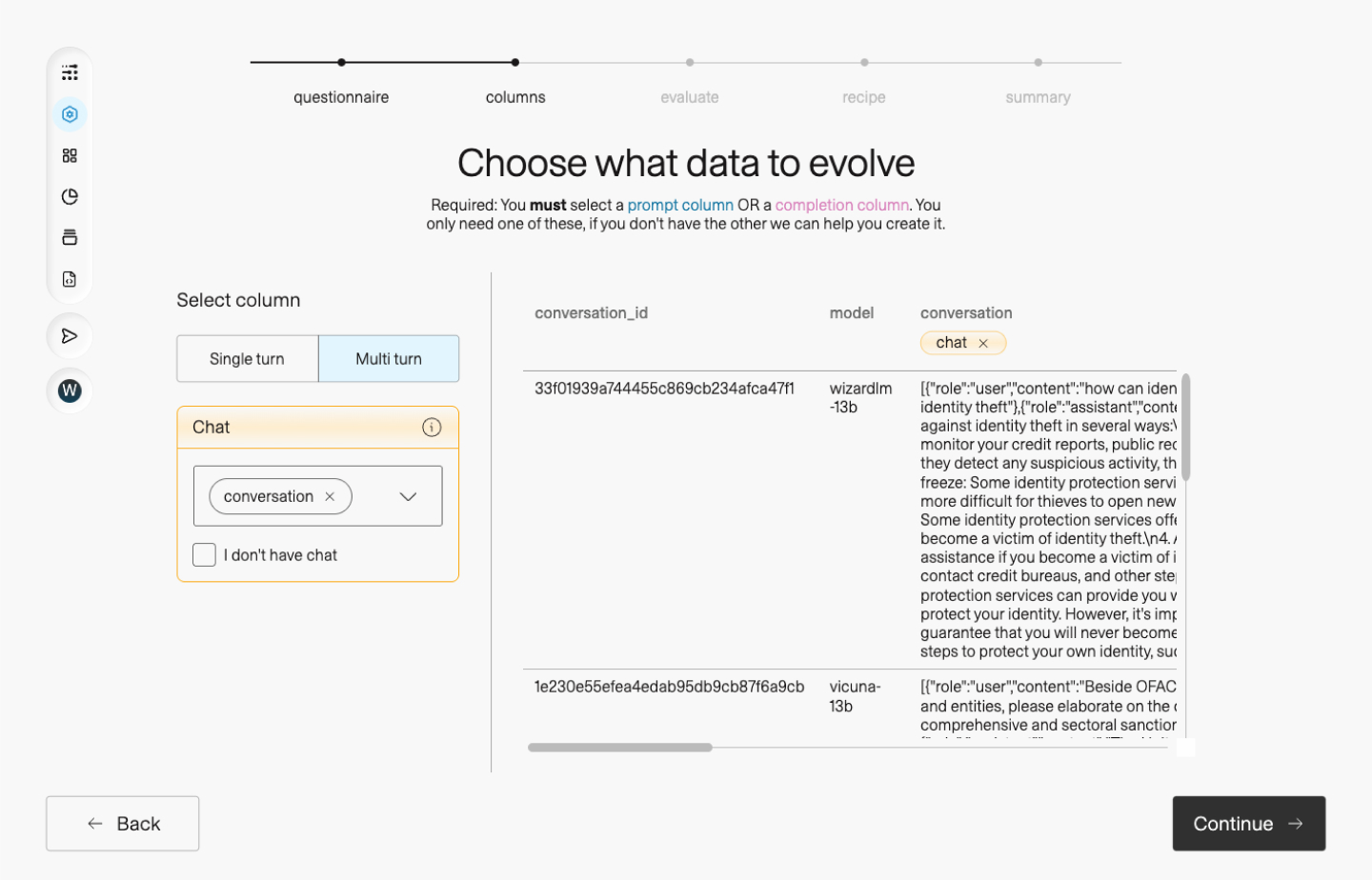
A chat column contains a multi-turn conversation in the same shape used by OpenAI-style chat APIs. Each cell is a JSON array of turns:
[ { "role": "system", "content": "You are a helpful assistant." }, { "role": "user", "content": "How do I reset my password?" }, { "role": "assistant", "content": "Open Settings, select Account, then select Reset password." }]Map the column containing those arrays:
run = client.datasets.adapt( dataset_id, column_mapping={"chat": "messages"},)When you map chat, Adaptive Data derives the prompt and completion from the conversation. Use chat for existing multi-turn data; use prompt and completion for single instruction-and-answer pairs.
Plain text and chat-turn arrays
Section titled “Plain text and chat-turn arrays”Cells mapped as prompt or completion can contain either:
- Plain text — a string in each cell.
- Chat-turn arrays — a JSON array of
{"role": "...", "content": "..."}objects.
For example, a structured completion can preserve an exchange within one cell:
[ { "role": "user", "content": "Summarize this email." }, { "role": "assistant", "content": "The customer accepted the revised delivery date." }]Adaptive Data parses valid arrays into chat turns and treats other values as plain text. For a full multi-turn conversation stored in one column, prefer the purpose-built chat mapping.
See ColumnMapping on the datasets.adapt reference for the current schema.